Digital school management in Nigeria
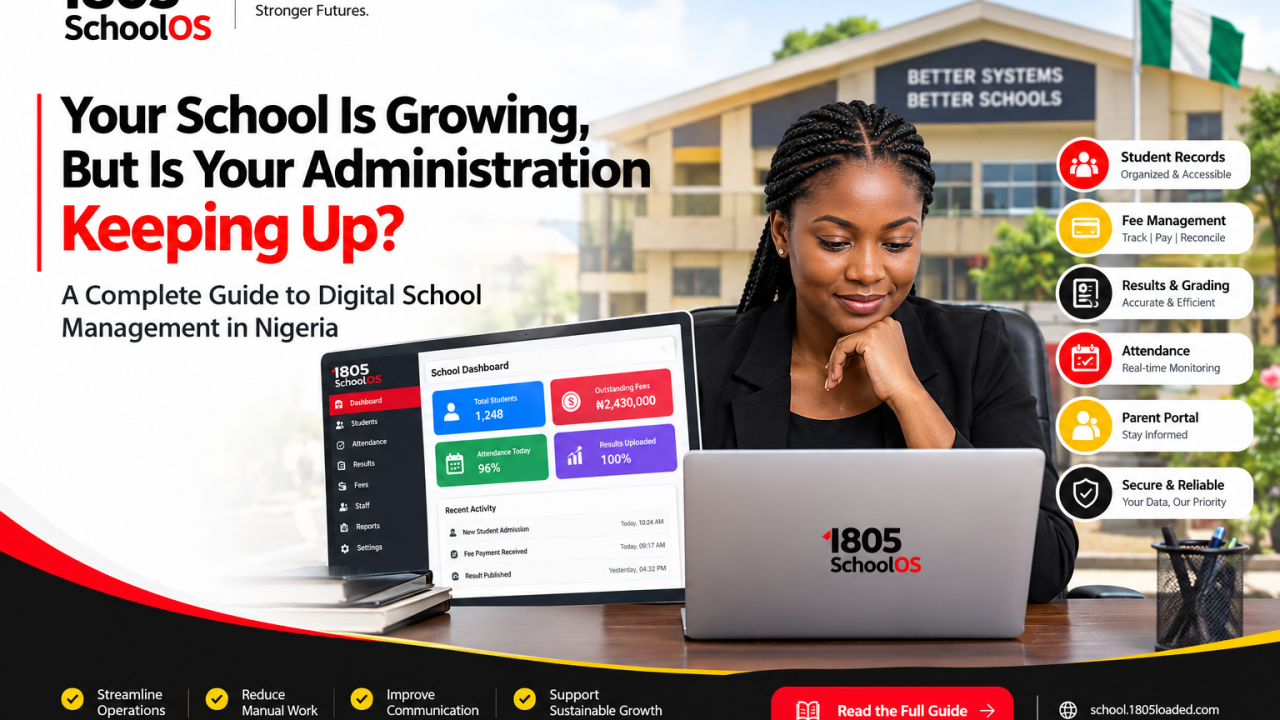
Your School Is Growing, But Is Your Administration Keeping Up? A Complete Guide to Digital School Management in Nigeria
Introduction: The Hidden Cost of Running a School Manually
A school can have excellent teachers, committed staff, satisfied parents and growing enrolment, yet still struggle behind the scenes.
The bursar is reconciling payments from several records. Teachers are submitting results in different formats. The administrator is searching for an old student file. Parents are calling to confirm information that should already be accessible. Meanwhile, the proprietor is trying to make important decisions without a complete, current picture of the school’s operations.
None of these problems necessarily means that the staff are incompetent. Often, the underlying issue is the way information moves through the institution.
As a school grows, administrative complexity grows with it. More students mean more records. More classes mean more attendance registers and assessment entries. More transactions mean greater reconciliation demands. More staff members mean more coordination.
Processes that were manageable when a school was small can become fragile when the institution expands.
This is where digital school management becomes a business decision, not merely a technology decision.
For Nigerian school owners, the question is no longer simply whether computers are being used. It is whether the school has a reliable way to manage its information, coordinate its operations, protect its records and support informed decisions.
This guide examines what digital school management actually involves, where schools should begin, which mistakes to avoid and how to evaluate a school management system before committing to one.
1. Why Manual School Administration Becomes More Difficult as a School Grows
Manual processes are not automatically bad. Paper records can be useful, and spreadsheets can serve smaller institutions well when they are properly maintained.
The problem emerges when a school’s administrative demands exceed the capacity of its existing processes.
Fragmented Student Information
Student details may be spread across admission forms, class registers, examination files and fee ledgers. When a guardian changes a phone number or a student moves to another class, staff may need to update several separate records.
If one copy is missed, different departments can end up working with different information.
Inconsistent Financial Records
A student may pay fees in instalments, receive an approved concession or have a previous balance carried forward. When payment history is scattered across notebooks, spreadsheets and bank notifications, verifying the outstanding amount can take longer than necessary.
A school needs more than a list of payments. It needs a dependable record of what was charged, what was received, what remains outstanding and how discrepancies were resolved.
Delays in Academic Administration
Examination results involve multiple steps: score collection, verification, calculation, approval and report-card preparation.
When each stage relies on manual copying or repeated calculations, the process becomes vulnerable to avoidable errors. Correcting one entry may also require changes to several documents.
Limited Management Visibility
A proprietor should be able to obtain reliable answers to important operational questions without depending entirely on multiple people assembling information from separate sources.
Examples include current enrolment, outstanding fee balances, incomplete attendance records and the status of examination processing.
When these answers are difficult to obtain, management decisions may be delayed or based on incomplete information.
The issue is not that every task must be automated. It is that the school needs a dependable operating process that continues to work as its responsibilities increase.
2. What Is a School Management System?
A school management system is software designed to organize and support administrative and academic activities within an educational institution.
Depending on the platform, its capabilities may include:
- Student admissions and information management.
- Class, subject and academic session organization.
- Attendance recording and monitoring.
- Examination scores, grading and report cards.
- Fee schedules, payment records and outstanding balances.
- Staff responsibilities and administrative reporting.
- Parent and student access to approved information.
- Communication, backups and access control.
The distinction between a collection of unrelated applications and a well-integrated school management platform is important.
If student records are maintained in one application, financial information in another and academic results in a third, staff may still need to reconcile information manually. A suitable integrated platform can reduce this fragmentation, provided its modules genuinely work together.
However, software features alone do not guarantee efficiency. The school must configure the system correctly, establish clear responsibilities and ensure that staff follow consistent procedures.
3. Seven Areas Every School Should Evaluate Before Going Digital
A successful digital transformation begins with the school’s operational needs, not with a long list of software features.
A. Student Information and Admissions
The school should be able to maintain accurate student profiles and retrieve relevant information without searching through multiple files.
Evaluate how the system handles admission details, class placement, guardian relationships, record corrections and student movement between classes.
For schools transferring existing data, ask how records can be imported and verified. A migration that duplicates students or assigns them to incorrect classes creates additional work instead of solving it.
B. Attendance Management
A digital attendance process should make recording and reviewing attendance straightforward for the staff responsible for it.
Ask whether the platform supports your school’s class structure, how missing entries are identified, how corrections are recorded and whether authorized staff can review attendance across classes.
Do not choose an attendance system solely because it advertises advanced technology. Choose one that staff can operate reliably in your actual school environment.
C. Examination and Result Processing
A suitable academic module should support the school’s assessment structure and grading policy.
Before adopting it, verify how continuous assessment, examinations, grade boundaries, report-card calculations and corrections are handled.
Test the system with sample records before using it for official results. Confirm that its calculations match the school’s approved grading rules and that finalized results cannot be changed without appropriate authorization.
D. School Fees and Financial Records
Fee management requires more than displaying a balance on a dashboard.
The school should understand how the system handles fee schedules, partial payments, receipts, concessions, outstanding balances, refunds and corrections.
Where online payments are supported, verify how successful transactions are confirmed and reconciled against actual payment records.
A digital ledger can improve visibility, but it does not replace proper financial controls.
E. Parent and Student Access
Parents frequently need information about attendance, results, announcements and financial obligations.
A suitable platform may provide separate access for parents and students, depending on its capabilities. This can make information easier to obtain while reducing routine enquiries to the school office.
Access must be restricted to the appropriate person. One parent should not automatically gain access to another family’s private information.
F. Reporting and Management Oversight
Proprietors and administrators need dependable information to understand how the school is operating.
Evaluate whether the platform can generate reports relevant to your decisions, such as enrolment summaries, fee balances, attendance records and academic performance.
Ask where the figures come from and how incomplete or corrected entries affect the reports. A polished dashboard is of limited value if its underlying records are unreliable.
G. Security, Backups and Accountability
School records contain information about children, families, employees and finances. Protecting those records must be part of the implementation plan.
Review user permissions, account security, backup procedures, data export options and the process for handling suspected unauthorized access.
Ask whether important changes can be traced to individual user accounts and whether the school can retrieve its records if it changes providers.
Schools should also review their responsibilities under applicable Nigerian data-protection requirements.
4. How to Digitize a School Without Disrupting Daily Operations
One of the most common implementation mistakes is trying to change every process at once.
A more reliable approach is to divide the transition into manageable stages.
Stage 1: Document the Existing Workflow
Record how admissions, attendance, fees, results and communication currently operate.
Identify who performs each task, where the information is stored and which steps create the most delays or errors.
This gives the school a baseline against which improvements can be measured.
Stage 2: Clean and Organize Existing Records
Before importing information, check for duplicate student profiles, inconsistent names, missing admission numbers and outdated guardian contacts.
Preserve original records securely and establish a process for resolving discrepancies.
Data quality should be treated as an essential part of implementation, not as an afterthought.
Stage 3: Select the Highest-Priority Workflow
Choose a process that causes a significant administrative burden and can be introduced without unnecessary disruption.
For one school, this might be student record management. For another, it might be attendance or fee reconciliation.
Define what successful implementation means. For example, staff should be able to retrieve a student’s verified profile, record a payment correctly or complete an attendance register according to the school’s procedure.
Stage 4: Configure the System to Match School Policy
Set up academic sessions, classes, subjects, fee structures, grading rules and user permissions as required.
Do not assume the default configuration will match the school’s policies. Test important workflows using realistic examples and correct any problems before going live.
Stage 5: Train Staff According to Their Responsibilities
Teachers do not necessarily need the same access or training as bursars and administrators.
Train each group on the tasks it performs. Explain how to correct mistakes, report technical problems and protect account credentials.
Assign someone to oversee implementation and ensure that unresolved problems are addressed.
Stage 6: Verify Records and Monitor Adoption
Compare important digital records against the original source during the transition.
Review whether staff are completing the required tasks, whether reports are accurate and whether the new process is reducing unnecessary work.
A system should be evaluated by how well it supports the school, not simply by whether it has been installed.
5. Common Mistakes Schools Make When Choosing Software
Choosing Based on Price Alone
A low initial cost may be attractive, but the school should also consider support, training, data migration, ongoing charges and the effort required to maintain the system.
Compare the total cost with the operational problems the platform is intended to solve.
Buying Features the School Cannot Maintain
Advanced features can be useful, but only when the school has the infrastructure, staff readiness and procedures to use them properly.
Prioritize essential workflows before adding complexity.
Ignoring Data Ownership and Portability
Before adopting a platform, determine how the school can export its records and what happens if the relationship with the provider ends.
The ability to retrieve important records is a key part of long-term operational planning.
Assuming Automation Eliminates the Need for Oversight
Software can calculate, organize and flag information. It cannot guarantee that the information entered is correct or that the school’s policies are appropriate.
Financial reconciliation, academic approval and sensitive record changes still require clear responsibilities and suitable checks.
Failing to Plan for Unreliable Connectivity
Schools should understand the internet, device and power requirements of their chosen system. They should also know what staff should do when connectivity or access is unavailable.
Do not assume that a platform works offline unless that capability has been confirmed and tested.
6. How to Evaluate the Cost of Digital School Management
The cost of a school management system should be considered in relation to the school’s needs and the total effort required to operate it.
Depending on the product, costs may include subscriptions, student-based charges, payment transaction fees, devices, connectivity, training and implementation.
But the software price is only one part of the comparison.
A school should also consider the time staff currently spend searching for records, correcting duplicated entries, reconciling payments and preparing reports. These activities represent real operational effort, even when they do not appear as separate expenses.
Do not assume that digital tools will eliminate all those costs. Instead, establish a baseline and measure whether the chosen system improves the relevant processes after implementation.
A simple evaluation can compare the time required for specific tasks before and after adoption, the number of record discrepancies and the consistency of administrative reporting.
7. Where SchoolOS Fits Into the Digital Transformation Journey
Once a school has identified its administrative challenges and defined its requirements, the next step is to evaluate platforms that may address them.
1805 SchoolOS is designed to bring school administration and academic workflows into a digital environment.
For a school considering digital transformation, the relevant questions are practical:
- Can the available features support the school’s administrative workflow?
- Can the system be configured to reflect the school’s academic structure and procedures?
- Are the required user roles and permissions available?
- Can the school manage its records responsibly and retrieve the information it needs?
- Does the platform fit the institution’s budget and implementation requirements?
These questions should guide the evaluation rather than relying on general promises about automation.
Explore 1805 SchoolOS
Discover the platform and assess whether its available capabilities fit your school’s administrative requirements.
Before implementation, verify the current features, costs, support arrangements and technical requirements against your institution’s needs.
8. How to Know Whether Your School Is Ready
A school does not need to be large or technologically advanced before it can begin digitizing its operations.
It does, however, need a willingness to establish consistent processes, maintain reliable information and train the people responsible for using the system.
Your school may be ready to begin if:
- Staff frequently search through several records to answer routine questions.
- Attendance, fees or results require repeated manual compilation.
- Management struggles to obtain timely and reliable operational reports.
- The school is growing beyond the capacity of its existing administrative processes.
- You can assign responsibility for implementation, training and record verification.
If several of these conditions apply, begin with a structured assessment rather than purchasing software immediately.
The objective is to select a solution that addresses real needs and can be maintained over time.
Conclusion: Build the Administrative Foundation Your School Needs to Grow
A school’s ability to grow depends on more than classrooms, teachers and enrolment. It also depends on the reliability of the systems supporting its daily operations.
When student records are organized, financial information is traceable, academic workflows are consistent and responsibilities are clearly defined, school management becomes easier to oversee.
Digital tools can support these improvements, but successful implementation requires preparation, staff training, reliable data and ongoing review.
For Nigerian school owners, the most sensible starting point is to identify the administrative process creating the greatest difficulty, define the desired improvement and evaluate software against that requirement.
Explore 1805 SchoolOS as part of your evaluation of digital school management solutions.